
Control your Mac from your iPhone
Updated · TIT
Sometimes the agent isn't enough and you need the Mac itself: a dialog to click, an app to check, a window the terminal can't see. Pim shows your Mac's screen on your iPhone and lets you use it — from anywhere, not just from the sofa — with gestures that feel like the phone's own.

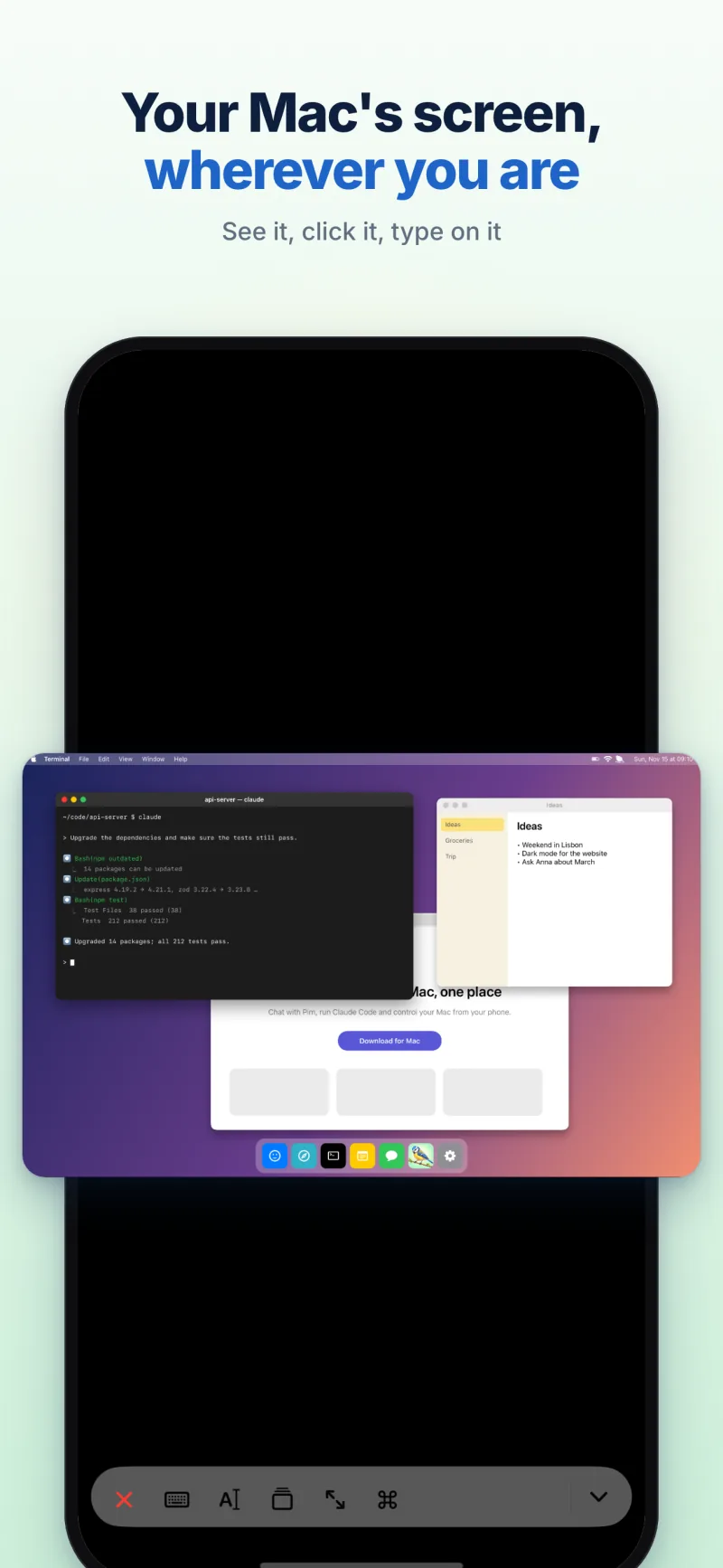
Smooth video, no Mac password
Pim for Mac captures the screen and streams it as H.264 video, which the iPhone decodes in hardware — so scrolling and moving windows look like video, not a slideshow. Tap Connect in the Remote tab and you're in. There's no Mac password to type: Pim for Mac already has the permissions it needs, Screen Recording and Accessibility, which you grant once when you set it up.
Choose fast or sharp (Retina) quality, switch between the Mac's displays, and choose Fit to see the whole screen or Fill to use the whole phone and drag to the rest. The connection goes through Pim's server, so it works over mobile data or any Wi-Fi without opening ports on your router or setting up a VPN.
Answer a message in another app and come back within half a minute: the screen is still there, without reconnecting — Pim pauses the picture while you're away. In Pim's other tabs it stays paused for up to ten minutes.
Gestures that feel like the iPhone
The Mac's pointer follows your finger the way you'd expect on a phone:
- Tap to click, double-tap to double-click, long-press to right-click
- Drag one finger to scroll what's under it, with momentum; press and hold, then drag, to drag
- Pinch to zoom, and move around with two fingers
- A keyboard with Esc, Tab, the arrow keys and ⌘-Space, plus dictation for longer text
- A window switcher with a thumbnail of every window: tap one to bring it to the front
Curtain mode
Working on the Mac from somewhere else while someone's near it? Curtain blacks out the Mac's own display while your iPhone keeps showing it. Disconnect, and the curtain lifts by itself.
Unlocking a locked Mac
The video stream can't type into the lock screen: macOS blocks simulated keystrokes there. So when the Mac is locked, Pim unlocks it with the Mac's user name and password. Tap Unlock the first time and enter them; they're kept in your iPhone's keychain, and after that Pim unlocks the Mac by itself when you connect. They go only to your Mac, encrypted end to end, and the Mac types the password into its own lock screen through Screen Sharing (System Settings → General → Sharing) and doesn't keep it.
Keep it awake, or put it to sleep
A sleeping Mac can't be reached from outside, and a MacBook with its lid closed goes to sleep. Stay Awake keeps it awake for 1, 3 or 8 hours, or until you stop it; Keep Screen On keeps the display on as well, which the remote desktop needs. For the lid closed, allow Pim once in System Settings → General → Login Items.
On battery, Pim lets the Mac go to sleep when the charge runs low, and tells you. When you're done, let it sleep normally again, or tap Sleep Now.
The Mac's web pages, without the desktop
Sometimes what you want to see is a web app running on the Mac — the one an agent is building, at localhost:3000, say. Web Preview, under Files and Clipboard in the Remote tab, opens it in Pim as a page you scroll and tap like any other, rather than through the Mac's screen. Pick one of the ports the Mac is listening on, or enter one. Like the screen, it's encrypted end to end between your iPhone and your Mac and never stored.
Only your Mac, never recorded
The picture of the screen and your taps and keystrokes are relayed through Pim's server in real time and never recorded. Only your own signed-in account can connect, and only to a Mac you paired yourself. Pair several Macs and pick one from the menu at the top of the Remote tab.
Frequently asked questions
Does it work outside my home network?
Yes. The connection goes through Pim's server, so it works over mobile data or any Wi-Fi, with no port forwarding and no VPN.
Do I have to enter my Mac's password?
Not to see and control the screen. Only to unlock a locked Mac, once: the user name and password stay in your iPhone's keychain and go only to your Mac, encrypted end to end.
Which Macs does it work with?
A Mac with Apple silicon and macOS 14 or later, running Pim for Mac, a free download from pim.titdev.nl/mac.
Is my screen recorded?
No. It's relayed live and never stored, on our server or anywhere else.
Does it work on an Android phone?
Yes. Pim for Android, on Google Play for Android 8.0 or later, shows and controls the Mac the same way: the same video, the same gestures, the keyboard, the window switcher, Curtain, unlocking and Web Preview, and it too keeps the screen through a short trip to another app. The Mac's user name and password are kept on the phone, encrypted with a key in the Android Keystore; for longer text, use your keyboard's dictation.